Web App
F&B Social, Now in Your Browser
Everything you do in the mobile app to meet performers and food lovers near you now works on the web too. Sign in with the same account and carry on from any computer or phone browser, with nothing to download.
Open the app · See who's live now
Discover people and performers nearby
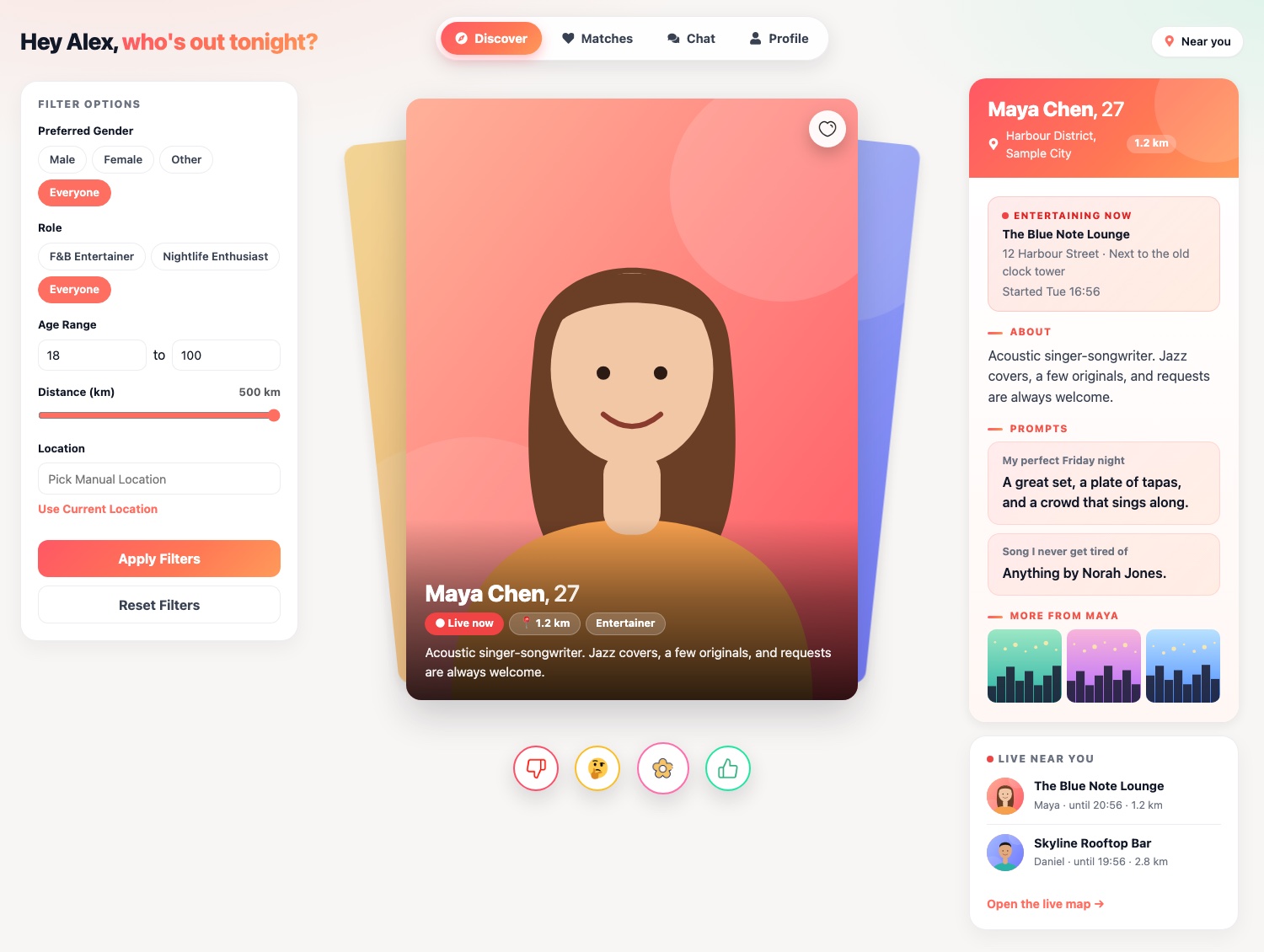
Discover shows you entertainers and diners close to you as a stack of cards. Drag a card, or use the buttons, to give a thumbs up, a thumbs down or a "not sure", send flowers, or tap the heart to like a profile. Open any card to see their bio, prompts, photos and videos, and a clear "live now" badge when a performer is on stage at a venue.
- Filter by who you want to meet, role (F&B entertainer or nightlife enthusiast), age range and distance.
- Set your location from your browser or search for any place.
- See which performers are live near you, with the venue and start time.
Keep track of your matches
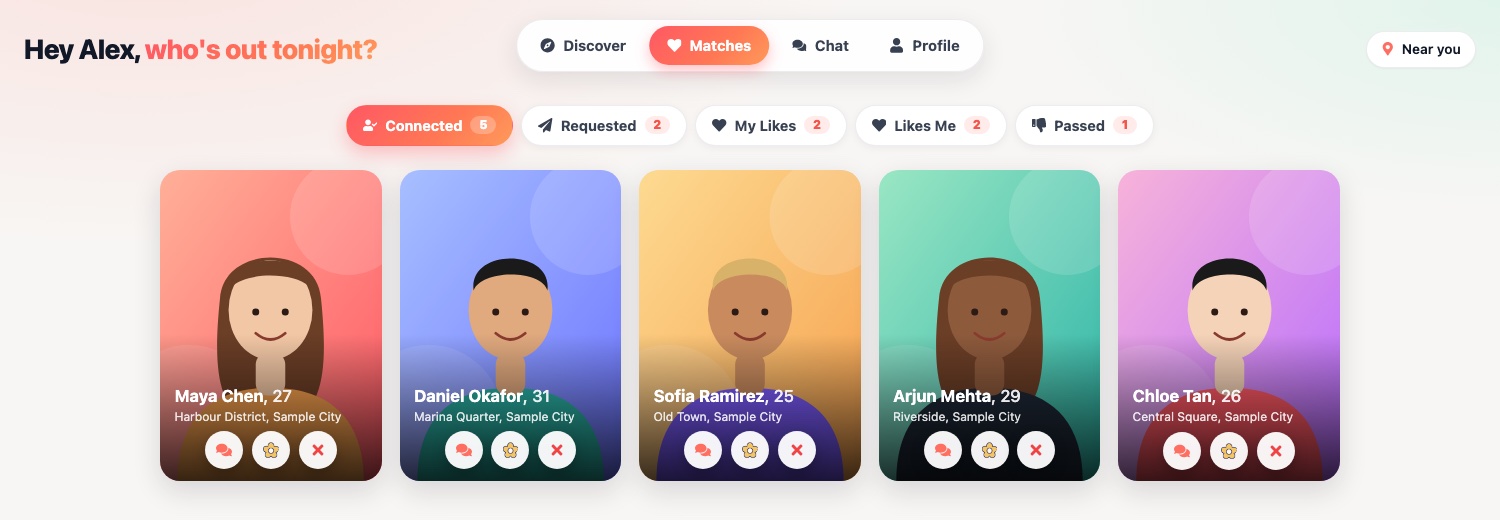
Matches keeps everyone you have interacted with in one place, organised the same way as the mobile app: people you are connected with, requests you have sent, profiles you have liked, people who liked you, and the ones you passed on.
- Open a profile for the full details, or jump straight into a chat with a connection.
- Send flowers to a connection, or remove a like, request or connection at any time.
- Changed your mind about a pass? Bring that profile back to Discover.
Chat in real time
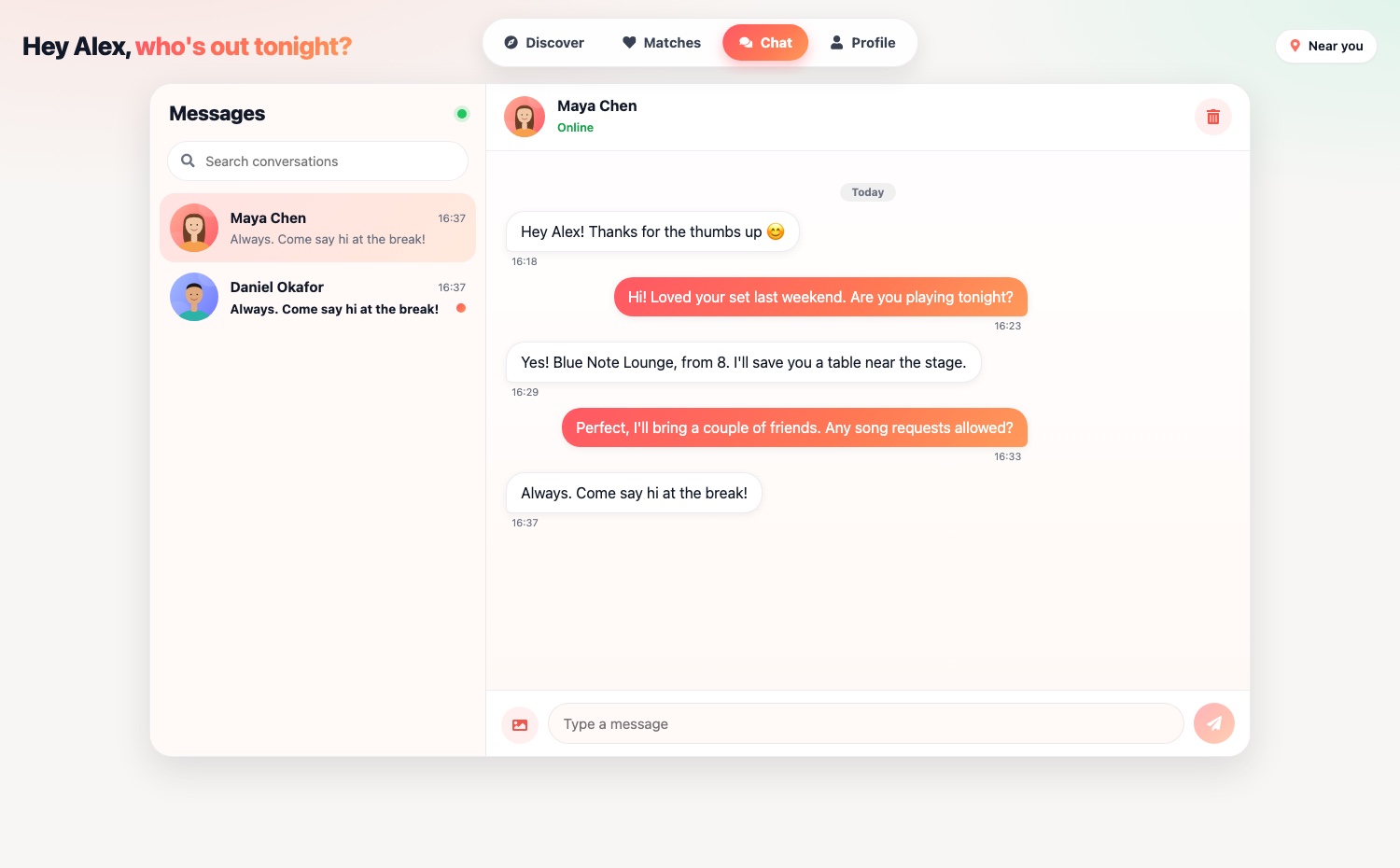
Once you are connected, you can message each other straight from your browser. Messages arrive instantly, you can share photos, and your conversation list is kept up to date as new messages come in, so you never miss a reply about tonight's plans.
- A searchable list of conversations, with an unread marker.
- Send photos as well as text, and scroll back through earlier messages.
- The same conversations appear in the mobile app.
Build a profile that stands out
Edit how you appear to others without picking up your phone. Update your details and bio, add up to nine photos and a short video, and answer prompts that give people a reason to say hello. A live preview shows your profile exactly as others see it.
- Add, replace or remove photos and your video, with upload progress shown.
- Manage blocked users, send feedback and delete your account from the Account tab.
- First time here? A short setup takes you through your role, details, who you would like to meet and your location.
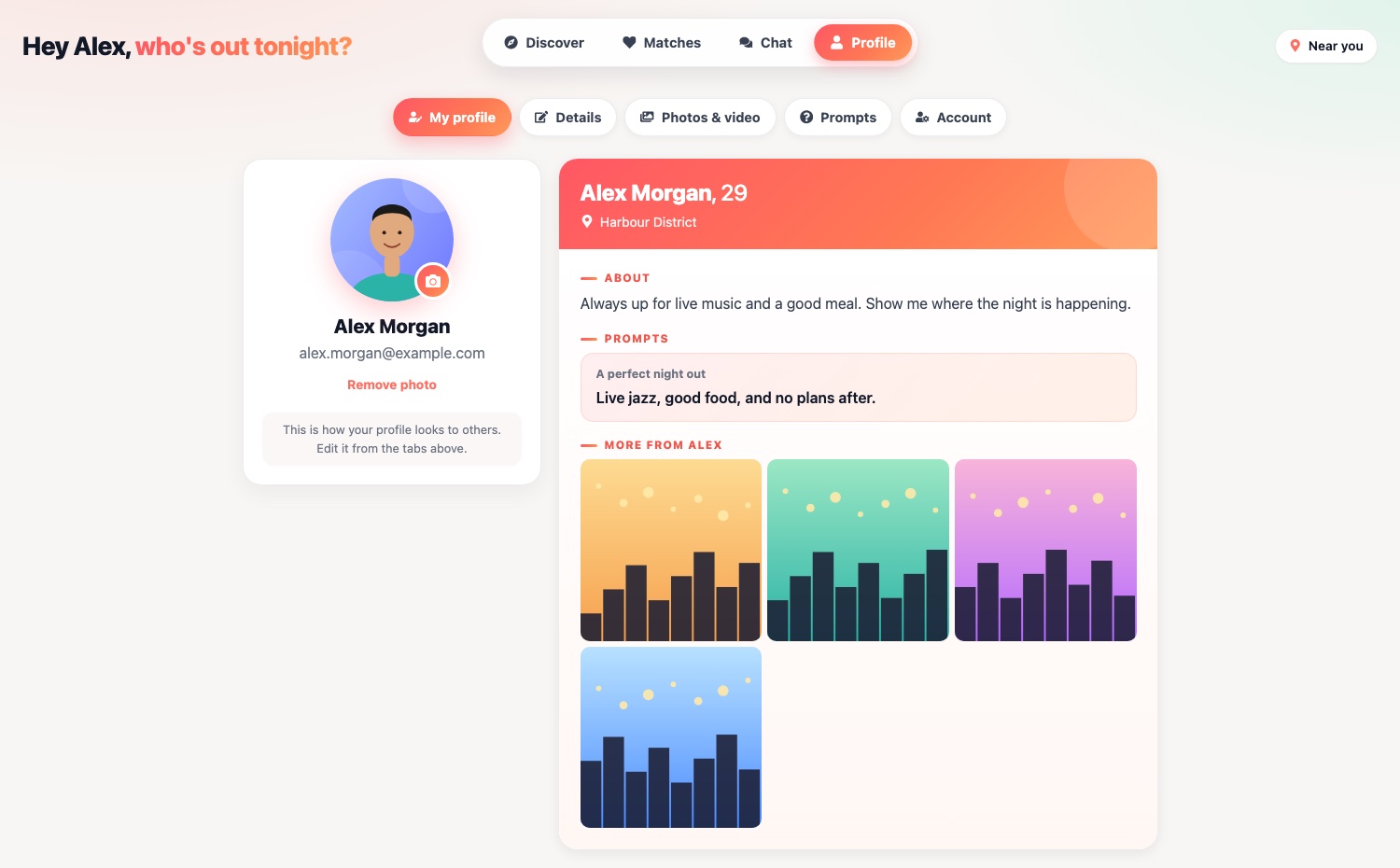
The screenshots on this page show fictional sample profiles, used for illustration only.
How to get started
It takes about a minute to start using F&B Social on the web.
- 1. Sign in: Open the Home page and sign in with Google or Apple. If you already use the mobile app, sign in with the same email to see your existing profile, matches and chats.
- 2. Set up your profile: New here? Choose your role, add your details and a photo, say who you would like to meet and share your location. You can change all of it later.
- 3. Discover and connect: Browse nearby people and performers, give a thumbs up or a heart, and when it is mutual you can start chatting.
- 4. Head out tonight: Check who is performing live near you, or try Surprise Me for a restaurant, café or bar pick that needs no sign-in at all.
Web or mobile app: what is different?
The web app and the mobile app share the same accounts, matches and conversations, so you can switch between them freely. A few things are only available in the mobile app for now: push notifications, buying flowers, and the Go Live check-in that entertainers use to show up on the live map.
Your location and your privacy
Your location is used to show you people and performers nearby and can be changed or updated whenever you like. You can block anyone, report a problem through our Contact & Support page, and permanently delete your account and data from your profile at any time. Private screens such as your matches and messages are visible only when you are signed in.
Web App FAQs
Is the F&B Social web app free to use?
Yes. Signing in and using Discover, Matches, Chat and your profile on the web is free. Flowers, which you can send as a gift, are purchased in the mobile app.
Do I need a separate account for the web?
No. Sign in with the same Google or Apple account you use in the mobile app and you will see your existing profile, matches and conversations.
Which browsers does it work in?
It works in current versions of Chrome, Safari, Edge and Firefox on desktop, and in mobile browsers on iOS and Android.
Why does it ask for my location?
Your location is used to show you people and performers near you. You can allow your browser to share it, or search for a place and set it manually.
Can entertainers go live from the web?
Not yet. Entertainers check in from the mobile app using Go Live. Once they are live, they appear on the Entertaining Now map for everyone, including on the web.
Can I use F&B Social without signing in?
Yes, some of it. Surprise Me and the Entertaining Now live map work without an account. Matching, chatting and your profile need you to sign in.